Anyone played with the diagnostic mode on the Ninja Foodi air fryer?

May 5, 2026
197
0
6
toolcroze.com
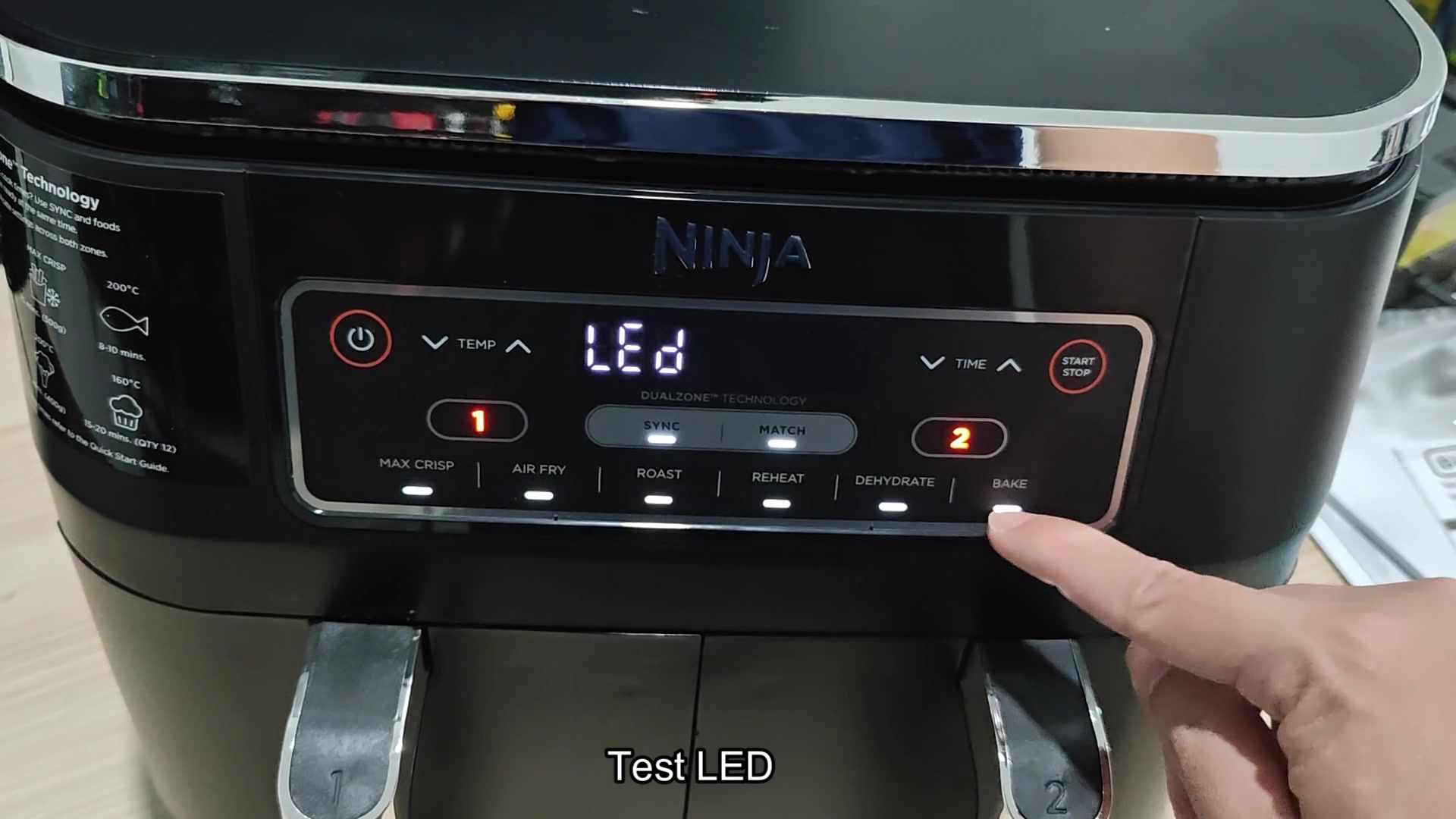
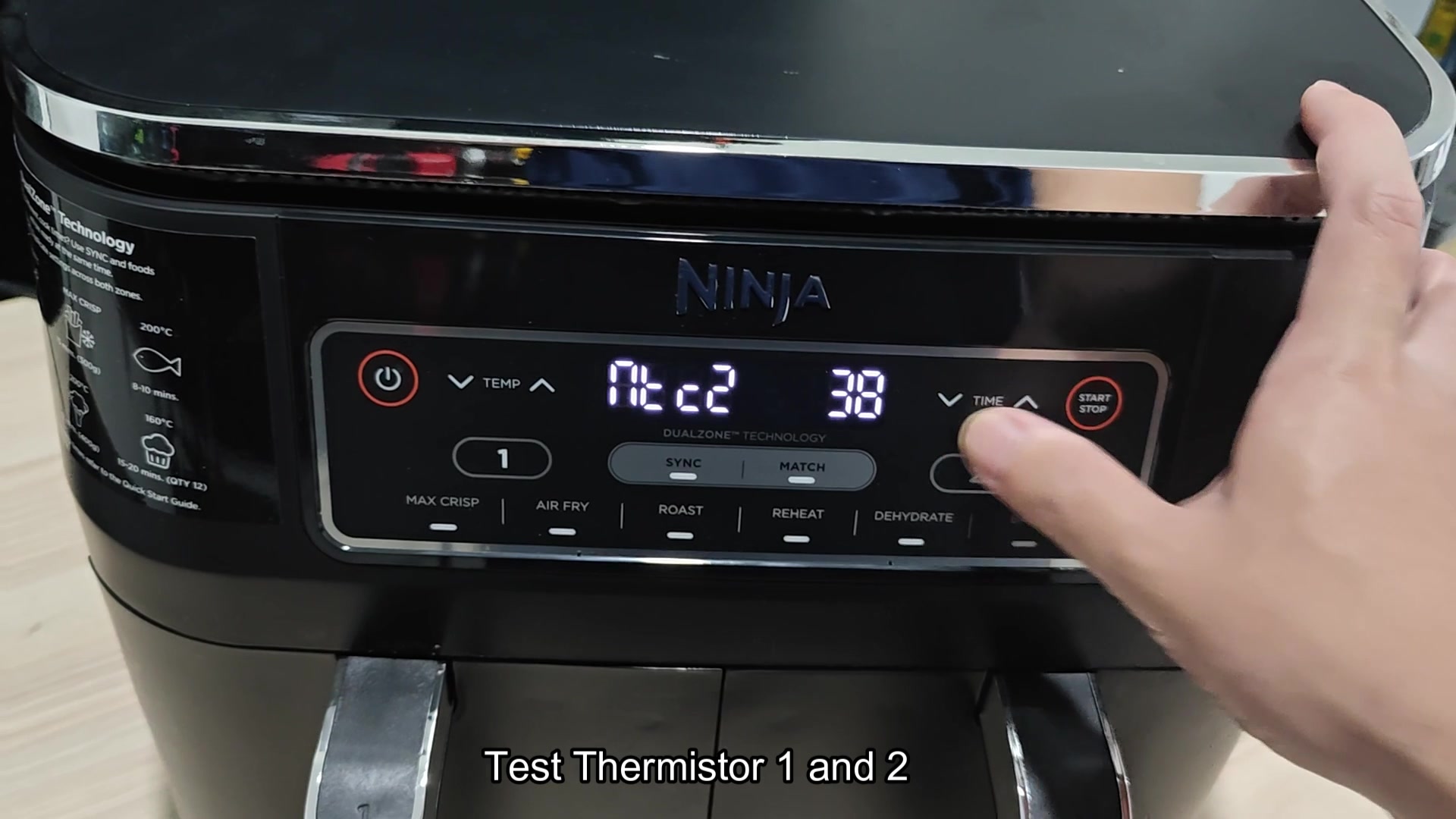
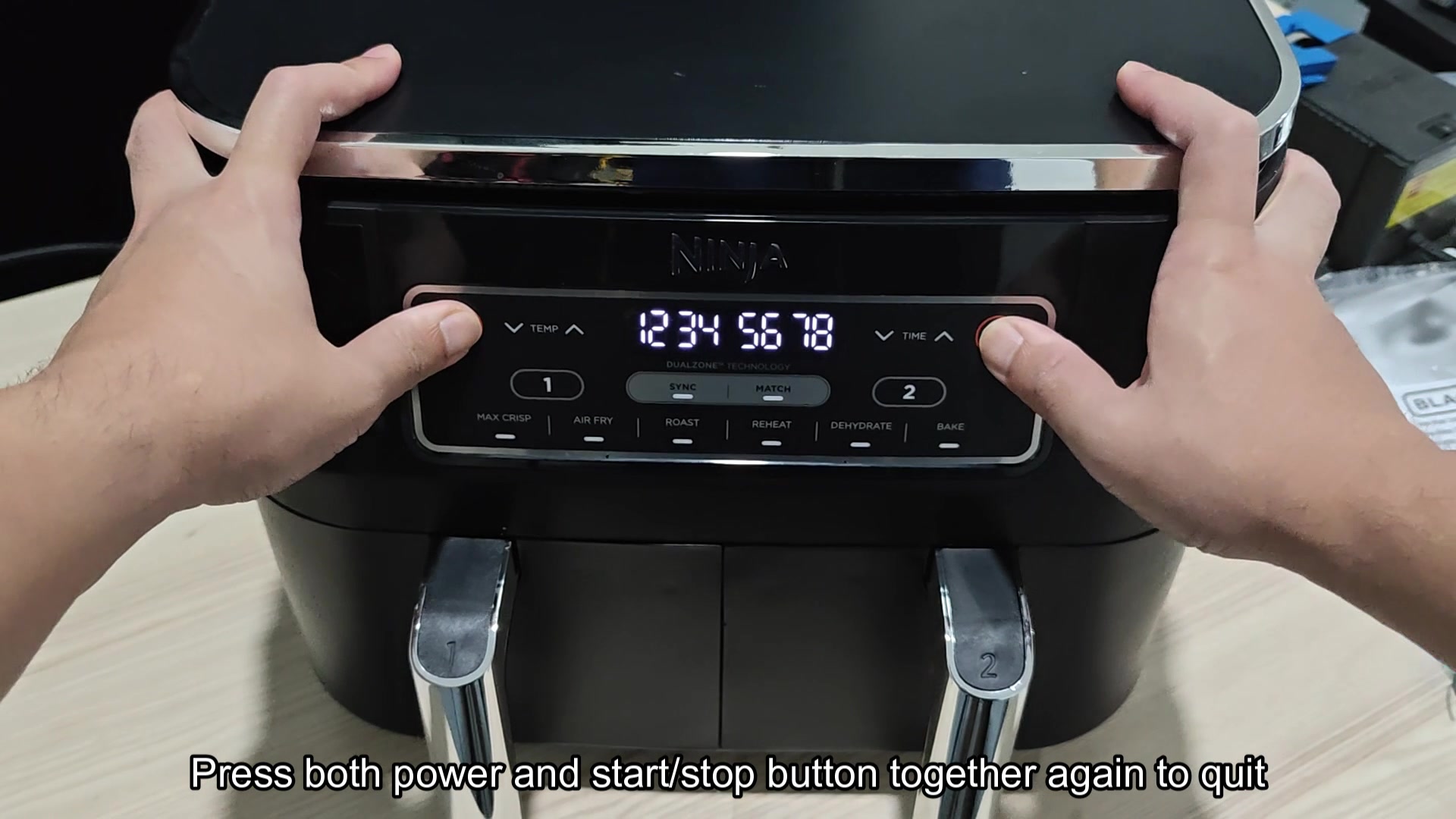
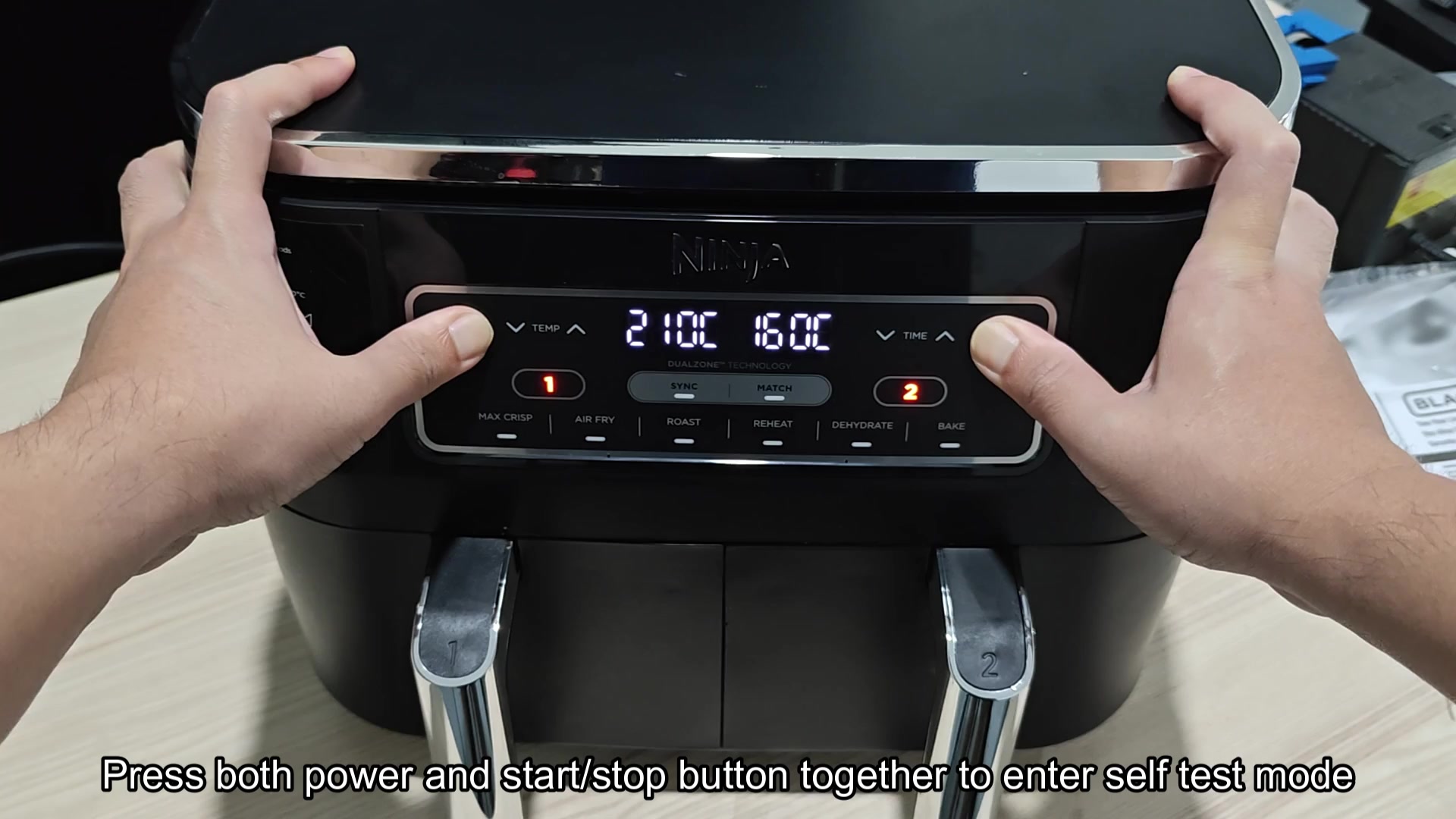
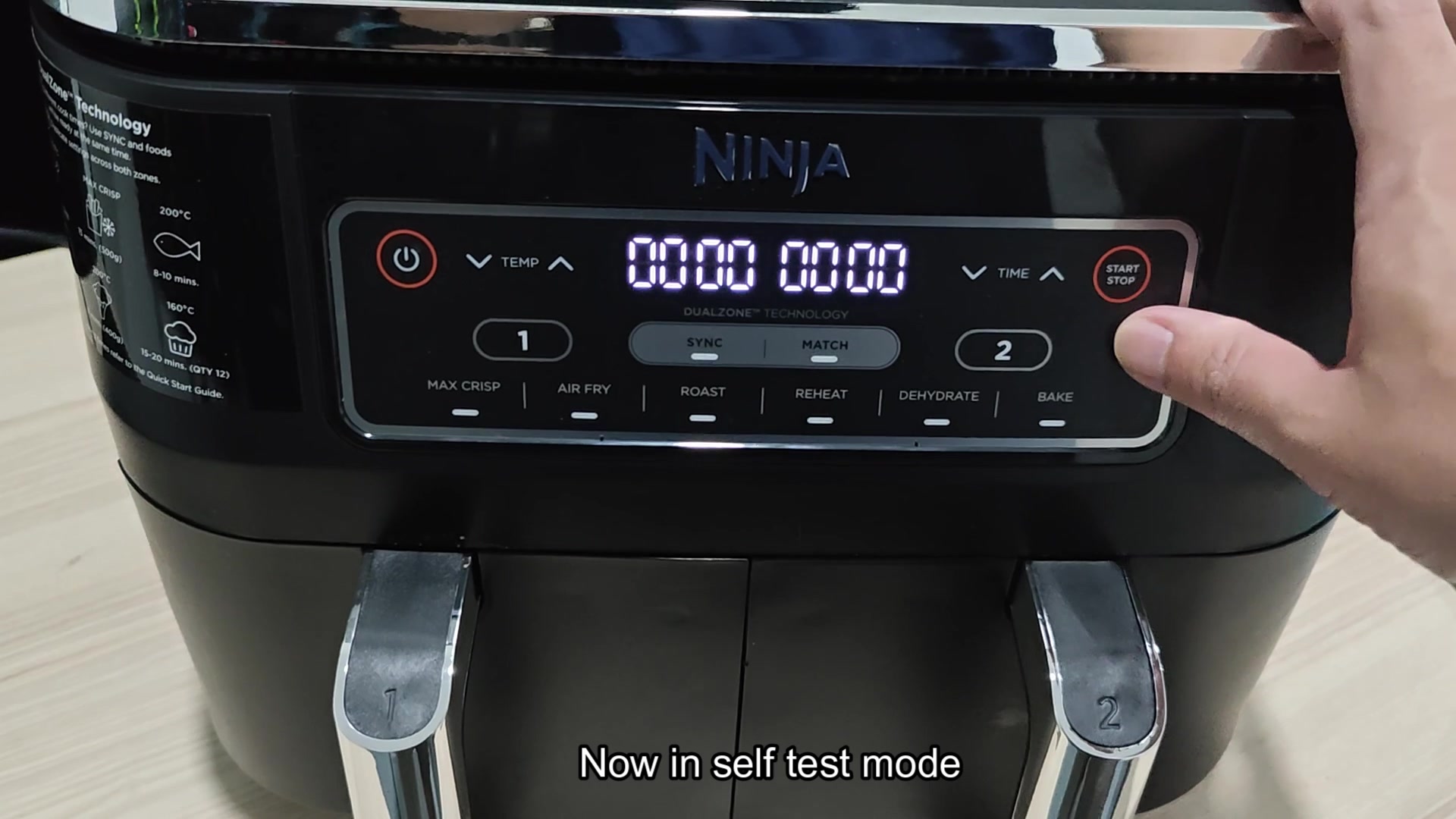
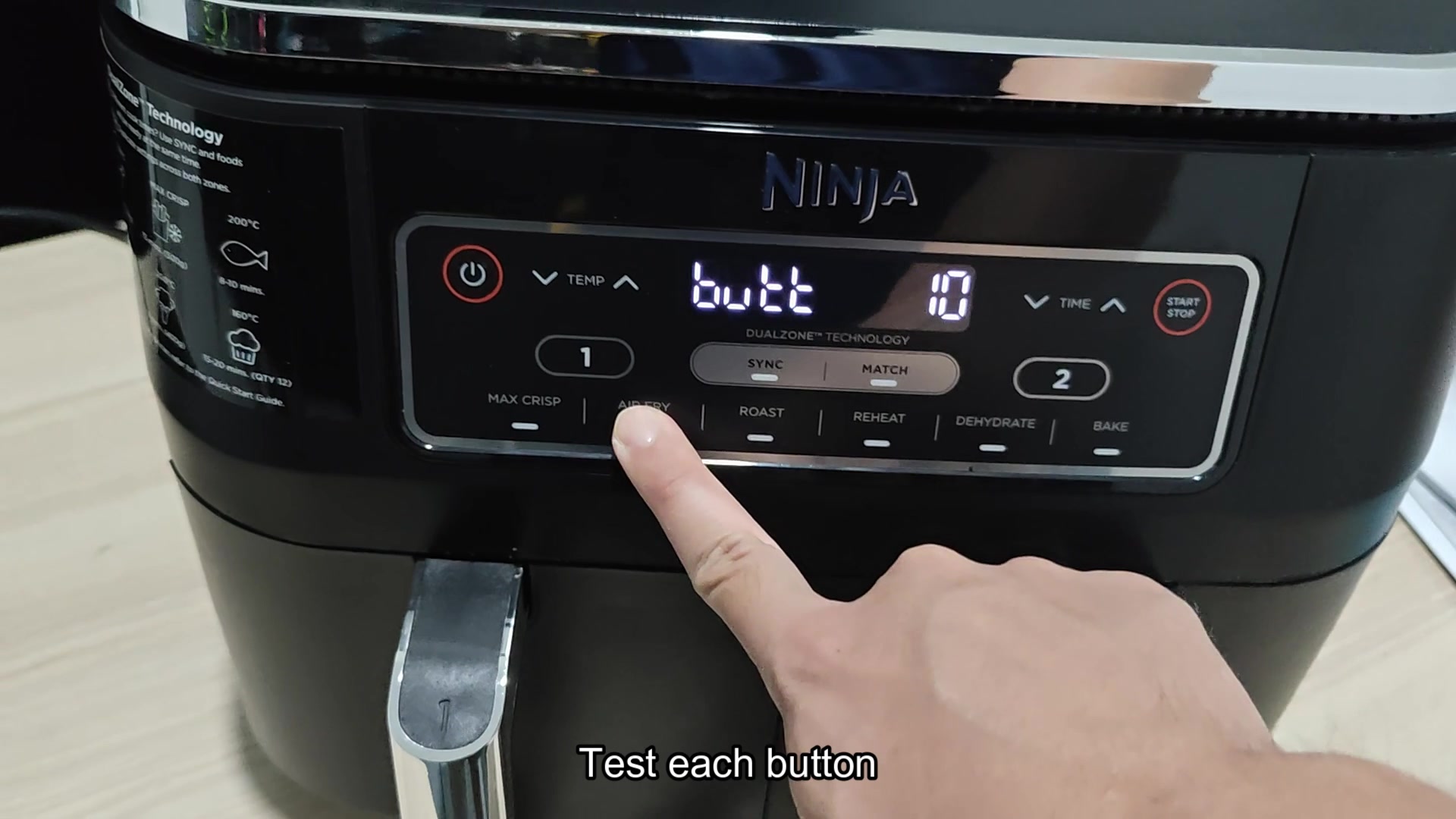
Found the hidden diagnostic mode on the touch boards on my Ninja Foodi air fryer! Just hold the Power and Start/Stop buttons simultaneously and it will enters a diagnostic screen that allows you to test each button on the touch board, check the LEDs, and view the live temperature readout from both Thermistor 1 and 2. When on diagnostic mode the units will display the string 12345678 which is just a way to check whether all of the digit on the display are working. This can be helpful in quickly determine whether the issue with the air fryer is with the touch board, the thermistors, or one of the button itself. I would assume that each button press will register on the screen so that you can confirm whether the membrane switch on the touch board is working correct.
What is displayed on the screen for the thermistors is what I am curious about. I know that it will show the temperature but is it in raw ADC mode or is it in Fahrenheit? Also, is this same button combination necessary on the other Foodi air fryer models or are there only specific models with this feature?
anyone-played-with-the-diagnostic-mode-on-the-ninja-foodi-air-fryer-1.jpg

anyone-played-with-the-diagnostic-mode-on-the-ninja-foodi-air-fryer-2.jpg

anyone-played-with-the-diagnostic-mode-on-the-ninja-foodi-air-fryer-3.jpg

anyone-played-with-the-diagnostic-mode-on-the-ninja-foodi-air-fryer-4.jpg

anyone-played-with-the-diagnostic-mode-on-the-ninja-foodi-air-fryer-5.jpg

anyone-played-with-the-diagnostic-mode-on-the-ninja-foodi-air-fryer-6.jpg
 
on mine (AF101) it shows a temp value in F, not raw ADC. Seemed to track close to ambient when cold so I'm guessing the firmware does the conversion before display. Didnt see any way to get raw counts out of it sadly.
 
Wait so does pressing power and start actually work on the AF161 too? Mine has started acting up but I want to avoid disassemble it if possible first.
 
diagnostic modes on these cheapy air fryers are a waste of time imo. By the time the board is acting up the thermistor is usually the LAST thing wrong. Its almost always a cracked solder joint on the relay or the triac driver. Ask me how I know.
 
diagnostic modes on these cheapy air fryers are a waste of time imo. By the time the board is acting up the thermistor is usually the LAST thing wrong. Its almost always a cracked solder joint on the relay or the triac driver. Ask me how I know.

hard disagree. I've had two come across the bench where the thermistor was reading 40F off and the relays were fine. Diagnostic mode caught it in like 30 seconds. Swapping the triac blind would of cost me a part and time.
 
The 12345678 string is 100% just a segment/digit walk to verify the display driver. Same trick is in half the Midea kitchen appliances. Ninja buys alot from the same places. The button combo varies from model to model though. On some of the newer DZ series it's Power plus Temp instead of Start. The firmware is the same but on the smaller models it seems that it locks out certain menus in the bootloader. Raw adc has to be pulled over the debug header on the boards though.
 
does anyone know if leaving it in diag mode for a while hurts anything? For example, will it work to leave it in this mode and let it sit for a while to watch the thermistor readout change as it heats up from a heat gun?
 
lol this is annoying Ninja. I mean come on, if you wanted to make an appliance that required hidden menus you would put it in the service manual so people would have to diagnose the problem instead of just guessing at the solution like a sega genesis cheat code.
 
does anyone know if leaving it in diag mode for a while hurts anything? For example, will it work to leave it in this mode and let it sit for a while to watch the thermistor readout change as it heats up from a heat gun?

It times out after about 2 min. Tap any button and it will reset though. The heat gun trick works just fine with this. Avoid blasting the heat gun at the air fryer itself though, just aim at the thermistor tip so as not to cook the cap next to the thermistor connector.